 Owl O'Clock
For kids about 5 to 8 · iPhone, iPad and Android
The clock worksheet came home. Let's make it click.
Owl O'Clock teaches your child to read a real clock in seven short steps, from o'clock to every minute. Every mistake gets a clear tip, so your child knows why, not just "wrong".
- 3 levels free, no time limit
- No ads
- No account
- Works offline
Sound familiar?
Telling time is harder than it looks
Two hands, two jobs, and the short one moves too. Most kids get stuck in the same few places, and most practice doesn't help them get unstuck.
"Which one is the hour hand again?"
Mixing up the hands is the classic mistake. A worksheet marks it wrong, but it can't explain the mix-up at the moment your child makes it.
Quiz apps just say "wrong"
A buzzer doesn't teach. Your child taps again, and learns to guess instead of read the clock.
Locked right after o'clock
Many clock apps open one level, then ask for a weekly subscription, or fill the screen with ads.
No time to plan lessons tonight
You want the next right step, in the order school teaches it, without building a plan yourself.
Owl O'Clock is built around one idea: every mistake gets a reason and a tip, one small step at a time.
How it works
Watch. Try. Get a tip.
Each of the seven levels follows the same calm loop. Ten minutes a day is plenty.
Watch
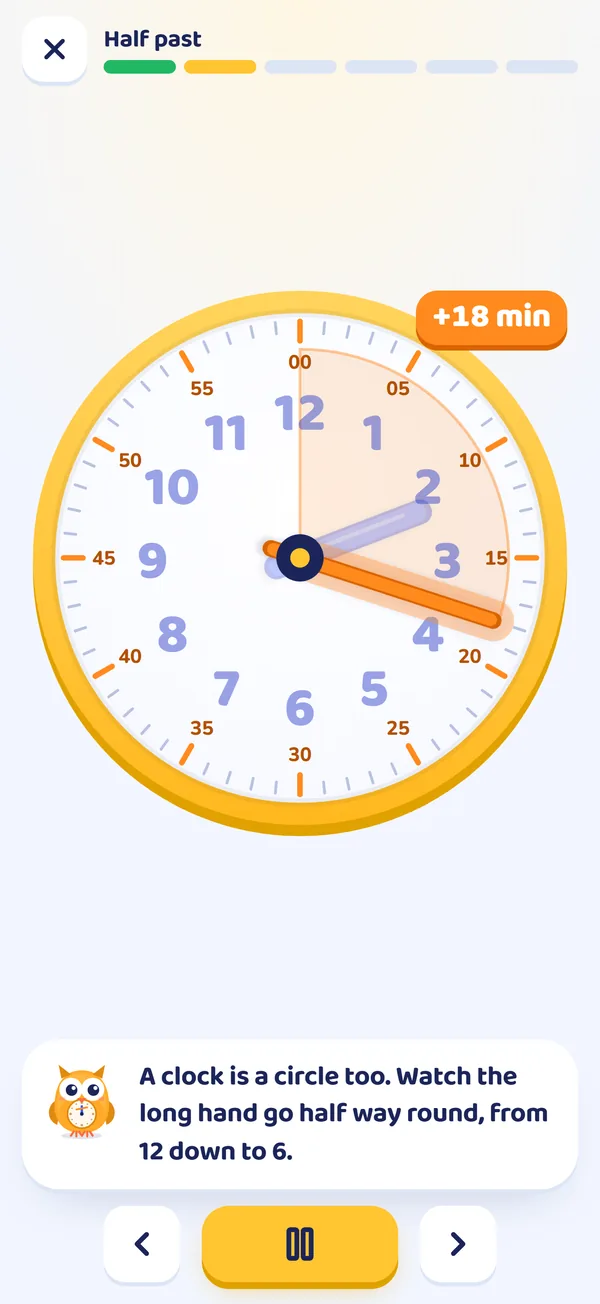
A short cartoon lesson shows one idea, like "the long hand points down for half past". It's read aloud by your device's voice.
Try
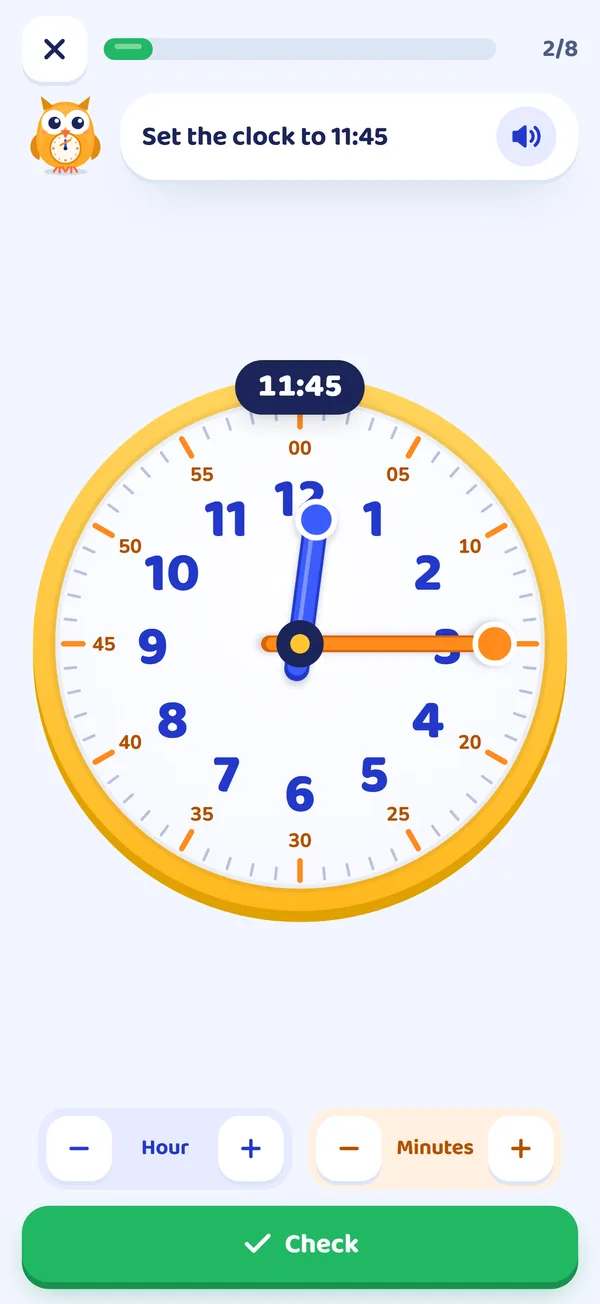
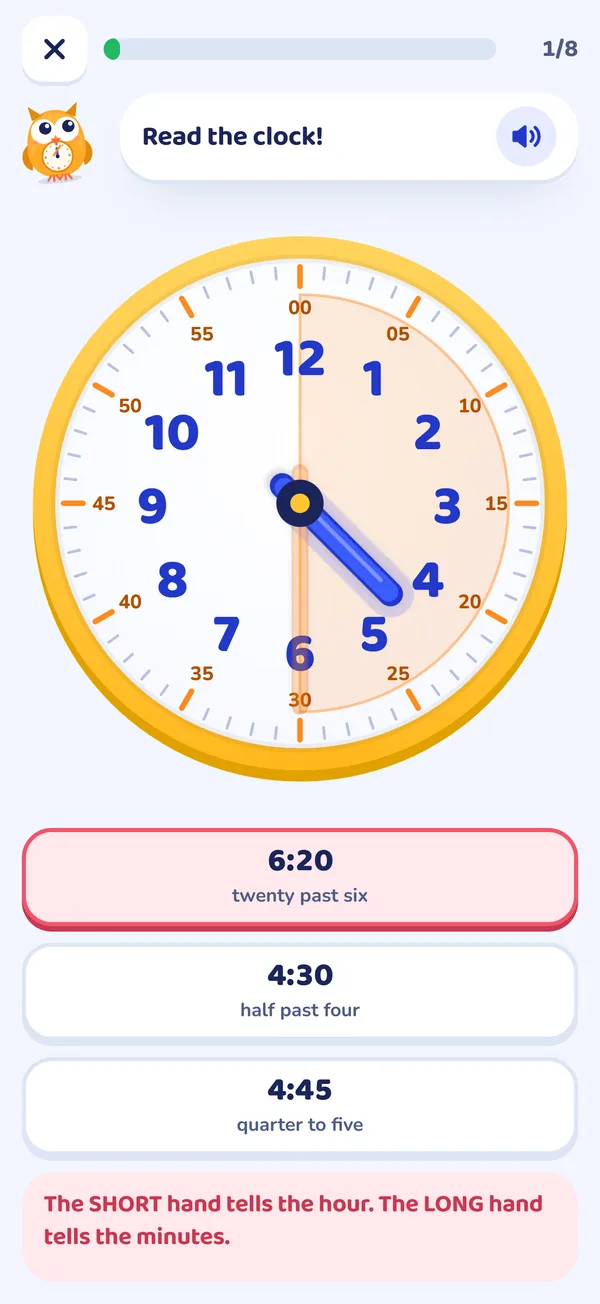
Your child sets the hands or picks the right time. Every round has 8 new questions, so answers can't simply be memorised.
Get a tip
When an answer is wrong, Tick explains the mix-up and gives a tip. After two tries, the answer is shown, so nobody gets stuck.
Try it now, no download
Can you set the clock?
Blue buttons move the short hour hand, orange ones the long minute hand. Then check. Try a wrong answer on purpose and see what Tick says.
Tick asks questions like this in every level, with a tip for every mistake. There are seven levels, and the first three are free.
Seven steps, grade 1 to grade 3
In the order school teaches it
From the first o'clock to working out how long things take. Each level follows the US Common Core standard for telling time.
For grown-ups
See what they've mastered in ten seconds
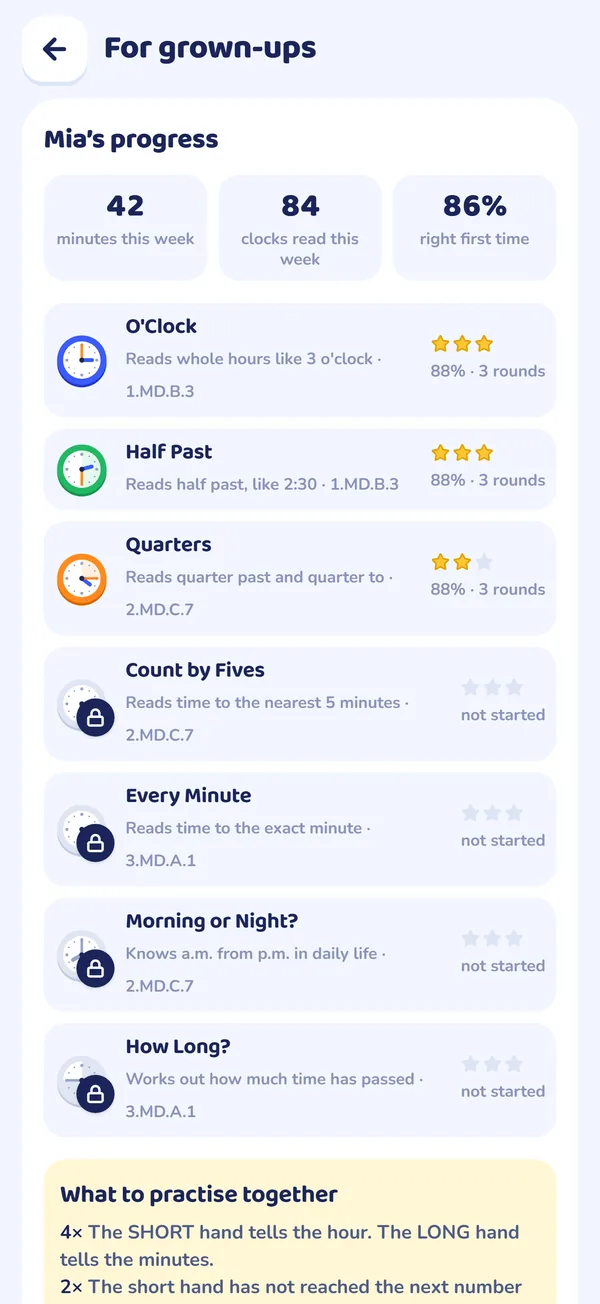
The parent area sits behind a parental gate. It shows exactly where your child is, and what to practise together.
- Progress for every levelStars, how many answers were right first time, and minutes practised this week.
- Their most common mistakesFor example "hands swapped", with a tip you can use with a real clock at home.
- Up to 4 childrenWith the full course, each child gets their own profile and progress.
- A daily review of 5 questionsKeeps earlier levels fresh while your child moves on.
Simple, fair price
Start free. Pay once if you want the rest.
Free
No time limit, no trial countdown
- Level 1: O'Clock
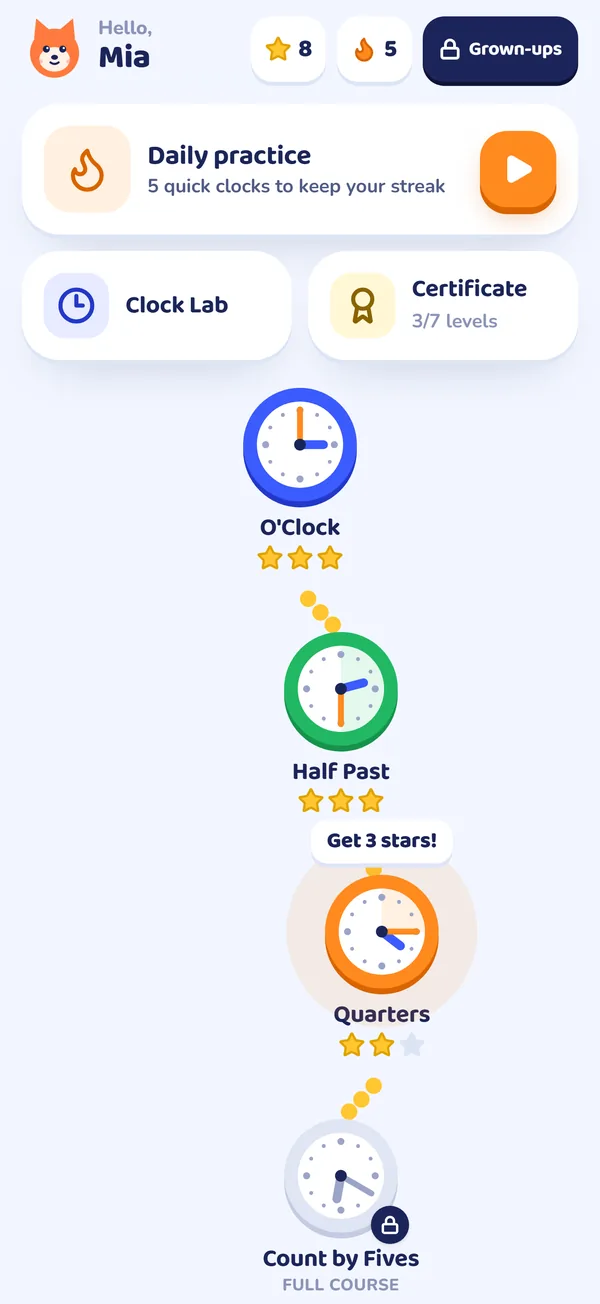
- Level 2: Half Past
- Level 3: Quarters
- Clock Lab: free play with a clock your child can turn
- Daily review and the parent report
- 1 child profile
Full course
US price. Your store shows your local price.
- Everything in Free
- Level 4: Count by Fives
- Level 5: Every Minute
- Level 6: Morning or Night? (a.m. and p.m.)
- Level 7: How Long? (elapsed time)
- A printable Clock Master certificate
- Up to 4 children, each with their own progress
Not a subscription. You buy the full course inside the app, in the parent area. Reinstalling or a new device? Tap Restore. No account needed.
Made for kids
Safe to hand over
Questions parents ask
Before you download
Is it really free, or a trial?
Levels 1 to 3 (o'clock, half past and quarters), the Clock Lab, the daily review and the parent report are free, with no time limit. You only pay if you want levels 4 to 7.
What age is it for?
Children of about 5 to 8 who are learning to tell time at school or at home, roughly grades 1 to 3. It also suits homeschoolers and teachers who want a step-by-step unit.
Does one purchase cover all my children?
Yes. The full course gives up to 4 child profiles on the device, each with their own progress. On another phone or tablet signed in to the same Apple ID or Google account, tap Restore in the parent area.
Is it a subscription?
No. It's one payment of $4.99 in the US (your store shows your local price). Nothing renews and nothing is charged later.
Will my child see ads or prices?
No ads at all. The price only appears in the parent area, behind a parental gate.
Does it need the internet?
No. Lessons and practice work offline. You only need a connection to buy or restore the full course.
How is this different from a worksheet?
A worksheet is great for practice, and you can keep using it. The app adds what paper can't: the hands move, every round has new questions, and each wrong answer gets an explanation right away.
What data do you collect?
None. There's no account, no analytics and no advertising ID. Progress is stored on the device. See the privacy policy.
Start with o'clock tonight
Install it, hand it over, and let Tick take the first lesson. The first three levels are free, so you'll know if it works for your child before you pay anything.
- No ads
- No account
- One payment, not a subscription